PerfectPic-Photo Edit・Collage
- 4.0
- Rating
- 5.00M
- Installs
- Free
- Price

 Analysis by App-foxy
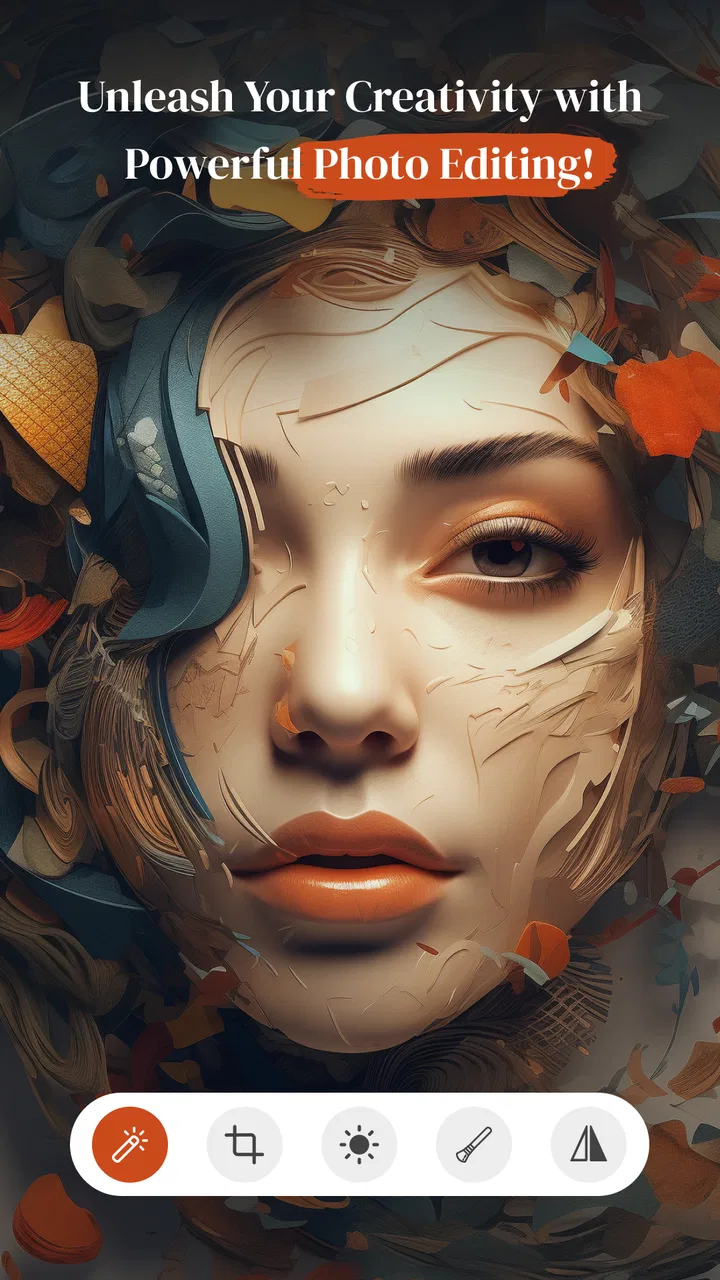
PerfectPic-Photo Edit・Collage is the kind of photography app I would open when a picture needs more than a quick crop but less than a full desktop editing session. I used it as a casual editing workspace for improving portraits, preparing a small collage, and giving ordinary phone photos a more finished look. Its focus is easy to understand: edit images, beautify people, and arrange several memories together without moving between several separate tools.
That simplicity is also the most important part of its appeal. I do not see it as a replacement for a serious photo editor with detailed color controls, layers, or professional retouching. Instead, it sits closer to the friendly end of mobile photography, where the goal is to make a photo look presentable quickly. For someone deciding whether to install it, my short answer is this: PerfectPic is most useful when convenience matters more than pixel-level control.
How the editing experience reads and navigates
The app comes from WE CENTER and is listed as a free photography app for Everyone. Its store summary presents a broad promise around editing, beautifying, and creating collages, while the short description identifies it simply as PerfectPic. In practice, that broad positioning makes sense because the app is not built around only one task. A person can approach it with a single portrait, a group of holiday pictures, or a collection of images that need to become one shareable composition.
You May Also Like

 Blood Strike: 2.5 Anniversary
Blood Strike’s Loadouts Turn Every Drop Into a Tactical Gamble
A close look at Blood Strike’s custom loadouts: how fast access to signature weapons reshapes its battle royale rhythm, rewards preparation, and narrows the gap between fights.

 Pandora - Music & Podcasts
Pandora’s Music Is Easy to Start, but Harder to Recover
Pandora’s strength is its low-effort path from a seed to a station. Its weak spot is how much confidence it asks you to place in connection, setup, and quiet recovery.

 8 Ball Pool
 Is Built on Rivalries, Rematches, and Routine
A close look at the rivalries, rematches, shared routines, and unanswered safety questions that turn a quick pool match into a persistent mobile community.

 Samsung Music
’s Quiet Strength Is Playing What You Already Own
Its reach comes less from spectacle than from dependable access to a personal library. That simplicity is both the app’s strongest retention engine and its ceiling.

 AccuWeather: Weather Radar
AccuWeather Review: A Quick, Clear Forecast for Everyday Decisions
For everyday plans, the best forecast is the one you can understand quickly. AccuWeather makes rain timing, radar, and local conditions easy to act on, with a few trade-offs.

 Hill Climb Racing
Why Hill Climb Racing Still Turns Crashes Into One More Run
A tiny car, a bumpy hill and one more upgrade: Hill Climb Racing keeps resurfacing because its simple chaos makes every near-miss feel personal.
More From Our News Desk



When I think about readability, the biggest advantage is the familiar nature of the workflow. Photo apps usually make users choose an image first and then decide whether to adjust, decorate, beautify, or combine it. That basic sequence is easier to understand than a tool that begins with a crowded professional control panel. I would be comfortable handing this app to a relative who does not edit photos often, because the purpose of the app is apparent before any advanced decision is required.
That said, a simple layout does not automatically mean every choice is effortless. Editing screens can become visually busy once filters, beauty controls, collage layouts, and decorative options are placed together. I found it helpful to make one decision at a time: select the image, complete the main correction, then move to appearance changes or composition. Trying to explore every option immediately can make the experience feel less focused, particularly for someone who prefers a calm, predictable interface.
For new users, I recommend starting with a photo that is easy to replace rather than an irreplaceable original. This is not because the app is difficult; it is because casual editors often apply too many effects when they are still learning what each control does. A restrained first pass usually produces a more natural result. I would also decide in advance whether the image is meant to be a portrait, a social post, or part of a collage, since that purpose should guide how much editing is appropriate.
The app has reached more than a million installs, and its average rating is 4.1 from roughly seven thousand ratings. Those figures suggest that it has found a substantial audience while still leaving room for mixed experiences. I would read that combination as a sign that the app is approachable for many people, but not universally ideal for every editing style. The rating is encouraging, yet it is not a reason to expect the precision or consistency of a dedicated professional editor.
Why the interface may suit different reading preferences
For people who prefer visual learning, a photo-first workflow is naturally easier than a text-heavy one. The result appears directly on the image, so the user can judge whether a change looks right instead of relying only on technical descriptions. This is especially useful with beautifying tools, where a numerical setting may not communicate as clearly as the visible effect on a face.
Visual comparison is also valuable for users who have difficulty remembering what an earlier adjustment looked like. I suggest checking the image before moving on to the next category of edits. A quick pause between changes makes it easier to notice whether the photo is becoming clearer or merely more processed. This habit is useful for anyone, but it can be particularly helpful when a busy screen or several similar controls makes it hard to track the editing history mentally.
On the other hand, visual interfaces can create challenges for people who need strong text contrast, large labels, or consistent control placement. I would not assume that every element is equally easy to read on every phone. Screen size, display settings, and personal vision all affect the experience. If you rely heavily on enlarged system text or magnification, it is worth testing the main editing screen with a nonessential picture before committing to a longer project.
Motor, sensory, and situational use
Photo editing is often performed with one hand, while standing, traveling, or holding a phone at an awkward angle. That context matters more than it first appears. A collage can require repeated selections and adjustments, and a portrait edit can involve small controls that demand careful tapping. I found that the app is better suited to deliberate, seated editing than to rushed changes made while walking between tasks.
For users with limited fine-motor control, the safest approach is to work slowly and avoid trying to drag or tap precisely while the phone is moving. Resting the device on a table can make a noticeable difference. I would also save progress in stages where possible rather than attempting an elaborate collage in one uninterrupted session. A staged workflow reduces the cost of an accidental tap and makes the task less tiring.
People with tremors or reduced reach may prefer using the app on a larger phone or tablet-sized screen when supported by their device, although the experience can vary by hardware. I would not choose this app specifically for hands-free editing. Its core activity is visual and touch-based, so anyone who cannot comfortably make repeated screen selections may find a more accessible workflow in an editor with stronger external-control support.
Sensory comfort is another consideration. Beautifying and decorative editing can become intense when several visual effects are layered together. I prefer using one main treatment and then checking the whole image at normal viewing size. Zooming in encourages over-editing, especially around skin and facial details, while viewing the complete picture gives a better sense of whether the result still looks like the person in the original photograph.
This is one of the app’s less obvious trade-offs: a tool designed to make photos attractive can also encourage uniform results. If every portrait receives the same smoothing or enhancement, expressions and natural texture can disappear. I get better outcomes by treating beautification as a small correction rather than the central identity of the image. That approach is more inclusive of different ages, skin textures, facial features, and personal preferences.
A realistic everyday workflow
Imagine taking a family photo at a birthday gathering and wanting to send it to relatives that evening. I would first choose the clearest image, make a modest overall edit, and check that faces remain recognizable. If several moments are worth sharing, I would then create a compact collage rather than sending a long sequence of nearly identical pictures. The collage feature is useful here because it turns selection into a single visual message, but I would keep the layout simple so that small faces do not become difficult to see.
For a person with visual fatigue, that same situation can be made easier by choosing the images before opening the editor and limiting the session to one purpose. Editing the portrait, designing the collage, and adding decorative touches all at once may be more demanding than necessary. A focused session also helps prevent the common problem of losing sight of the original reason for opening the app.
Another practical use is preparing a group of casual photos for a personal album. I would not expect PerfectPic to replace a dedicated backup or cataloging system, but it can help turn scattered images into more intentional keepsakes. The key is to use it as a finishing tool, not as the place where every part of a photo library must be managed.
Where it compares well, and where it does not
Compared with a basic phone gallery editor, PerfectPic offers a more creative direction because it brings portrait enhancement and collage-making into the same photography experience. A standard gallery tool is often quicker for rotating, cropping, or making a small exposure correction. I would choose the gallery first when the image only needs a practical fix and I do not want to explore additional options.
Compared with a professional mobile editor, PerfectPic is less appealing for users who need exact control over color, selective adjustments, layers, or repeatable editing recipes. A serious photographer may prefer an app built around manual precision and a more technical workspace. PerfectPic makes more sense for someone who wants an attractive result without studying a complex editing system.
It also occupies a different space from a dedicated collage maker. A specialist collage app may be preferable when the entire project depends on precise spacing, typography, borders, or elaborate templates. PerfectPic is more convenient when collage is one part of a broader photo task. That combination reduces app switching, but it may not satisfy a user whose main hobby is designing highly customized layouts.
The free entry point is helpful for trying the workflow without an upfront purchase. However, in-app purchases range from $4.99 to $29.99 per item, so I would pay attention to the point at which optional content or tools become relevant to your own use. The sensible approach is to test the basic editing experience first and decide whether it already meets your needs. Someone looking for a completely unrestricted, no-cost tool should consider that paid items may affect the long-term experience.
Remaining barriers and practical workarounds
The first barrier is expectation. The app’s name and broad presentation can make it sound like a complete solution for every kind of photo work, but its strongest role is approachable enhancement and composition. If you need exact restoration, detailed masking, or a carefully managed professional workflow, choosing it may create frustration rather than save time.
The second barrier is the risk of visual overload. A user who has difficulty distinguishing similar controls may need to make changes in small stages and inspect the result after each one. I would keep a simple mental rule: one correction for the image, one adjustment for the subject, and only then consider decoration. This reduces decision fatigue and makes it easier to undo a choice that does not work.
The third barrier is the physical act of manipulating a phone screen. Someone with limited dexterity may need a stable surface, a larger display, or assistance with the initial selection of images. The app can still be useful in a supported workflow, such as a family member preparing a collage together with someone who chooses the photos and approves each result. That shared approach respects the person’s creative decisions without requiring them to perform every precise gesture.
There is also a privacy-minded practical question whenever personal portraits are edited in a mobile app. I would avoid treating any photo editor as the only copy of an important image. Keep the original in your normal photo library before experimenting, especially with family pictures or documents captured by camera. This is good editing discipline and gives you freedom to try stronger changes without worrying about losing the starting image.
For users with sensory sensitivities, I recommend stopping when the image begins to feel visually harsh rather than assuming more enhancement is better. A natural portrait often benefits from less processing. For users who find rapid exploration tiring, choosing a single image and a single output goal makes the app more manageable. These are not special modes; they are practical ways to adapt a flexible editor to different needs.
Who should install it
I would recommend PerfectPic to casual photographers who want portrait improvements and collages in one place. It is a good match for preparing family memories, making a small visual greeting, or polishing pictures before sharing them. It is also suitable for people who feel intimidated by professional editors and would rather judge changes by sight than learn a long list of technical controls.
I would be more cautious about recommending it to photographers who demand exact repeatability, photographers who work with large editing projects, or users whose main priority is hands-free or highly specialized accessibility. Those users may be better served by a tool designed around manual control, keyboard or external-device support, or a narrower workflow with fewer visual choices.
The age rating of Everyone makes the app broadly approachable as a general photography tool, but that does not remove the need for personal judgment when editing images of children or other people. I would use the same care here as with any photo-sharing workflow: edit respectfully, preserve the original, and make sure the finished image reflects the people in it rather than replacing their appearance with an aggressive effect.
My inclusive verdict
After using PerfectPic as a practical photo editor rather than expecting a professional studio in a phone, I found its strongest quality to be its approachable mix of portrait editing and collage creation. It gives people a way to turn ordinary images into more deliberate memories without forcing them to learn a complicated system. That is valuable for beginners, occasional users, and anyone who wants to finish a photo quickly.
Its accessibility is best understood as contextual rather than guaranteed. The visual workflow may be comfortable for users who learn by seeing the result, while small touch targets, busy editing choices, and the need for repeated gestures can still create friction. A stable device position, short editing sessions, careful image selection, and restrained use of beautifying tools make the experience more manageable across different abilities and situations.
PerfectPic is currently at version 1.4.9 and supports Android 7.0 or later, which gives it a practical place on many older compatible phones as well as newer devices. I would still judge the experience on the actual screen you plan to use, because readability and motor comfort depend heavily on hardware. The app is free to try, and its 4.1 average from around seven thousand ratings gives it a reasonable starting point for curious users.
My final recommendation is straightforward: install it if you want a friendly way to improve portraits and assemble collages, and approach it with a light touch. Skip it if your work depends on professional precision or if repeated touch editing is already a serious obstacle. For the right user, the best result comes from using PerfectPic as a simple, visual finishing space rather than an all-purpose replacement for every photography tool.
PerfectPic-Photo Edit・Collage succeeds when it helps a person share a clearer, warmer, better-organized memory with less effort. Its inclusive value comes from that low-pressure purpose, provided users recognize the limits of a touch-based visual editor and adapt the workflow to their own comfort.
FAQs for PerfectPic-Photo Edit・Collage
01What features does PerfectPic-Photo Edit・Collage offer?
PerfectPic-Photo Edit・Collage provides a variety of features including advanced photo editing tools, customizable filters, and a wide selection of collage templates. Users can enhance images with brightness, contrast, and saturation adjustments, and also add text, stickers, and frames to their photos. The app is designed to meet both basic and advanced editing needs.
02Is PerfectPic-Photo Edit・Collage user-friendly for beginners?
Yes, PerfectPic is designed with an intuitive interface that makes it easy for beginners to navigate. The app includes guided tutorials and tips to help new users get acquainted with its features. Its straightforward layout ensures that even those new to photo editing can create stunning images and collages with ease.
03Are there any in-app purchases or subscriptions in PerfectPic?
PerfectPic-Photo Edit・Collage offers both free and premium features. While basic editing tools are free, certain advanced features and exclusive filters require in-app purchases or a subscription. Users can opt for a monthly or yearly plan to unlock the full potential of the app, with regular updates and new content.
04Does PerfectPic-Photo Edit・Collage support high-resolution image exports?
Yes, PerfectPic supports high-resolution exports, allowing users to save their edited photos and collages in high quality. This is ideal for printing purposes or for sharing images on platforms that require high-definition graphics. Users can adjust the resolution settings according to their needs before finalizing the export.
05Is PerfectPic-Photo Edit・Collage available for both Android and iOS?
PerfectPic is available for download on both Android and iOS platforms. Users can find the app on the Google Play Store for Android devices and the Apple App Store for iOS devices. Regular updates ensure compatibility with the latest operating systems and devices, providing a seamless user experience across platforms.
Pros
- User-friendly interface for easy editing.
- Wide range of filters and effects.
- Supports high-resolution images.
- Easy social media sharing options.
- Regular updates with new features.
Cons
- Contains in-app purchases for premium tools.
- Occasional ads may interrupt workflow.
- Some features require internet connection.
- Limited free version capabilities.
- Lacks advanced editing options for pros.

PerfectPic-Photo Edit・Collage
Gallery